

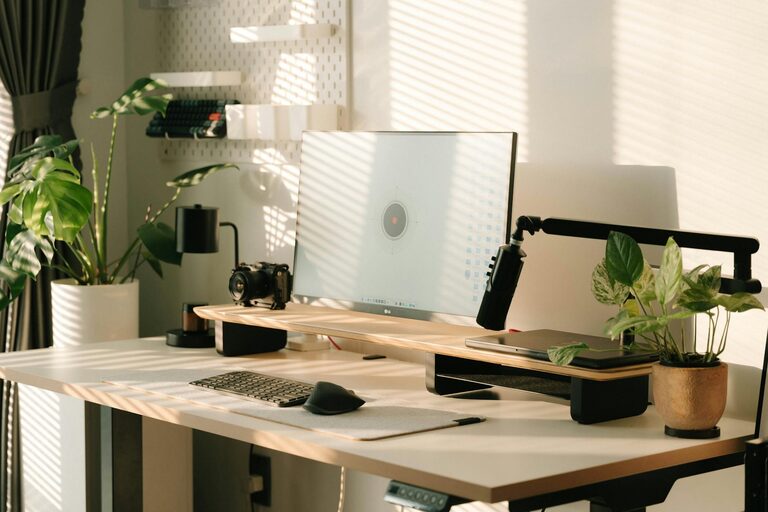
Creating a productive home office environment is essential for anyone working remotely or running a business from home. A well-organized and comfortable workspace can improve focus, reduce stress, and increase efficiency. Whether you’re setting up a new office or looking to enhance your current space, these tips will help you build an environment that supports your best work.
Choose the Right Location
Selecting the right spot for your home office is the first step toward productivity. Ideally, you want a quiet, well-lit area with minimal distractions.
– Separate space: If possible, dedicate a room or corner exclusively for work. This distinction helps your brain associate the space with focus.
– Natural light: Position your desk near a window to benefit from natural light, which can boost mood and reduce eye strain.
– Low traffic: Choose a location away from high-traffic areas to minimize interruptions.
Invest in Ergonomic Furniture
Comfort is key when you spend hours working at a desk. Ergonomic furniture supports your posture, reducing the risk of pain and fatigue.
– Adjustable chair: A chair with lumbar support and adjustable height ensures proper spinal alignment.
– Desk height: Make sure your desk allows your arms to rest comfortably with elbows at a 90-degree angle.
– Monitor placement: Position your computer screen at eye level to prevent neck strain.
Organize Your Workspace
A tidy environment helps clear your mind and makes it easier to find what you need.
– Declutter regularly: Remove unnecessary items to keep your desk clean.
– Storage solutions: Use shelves, drawers, or storage boxes to keep supplies organized.
– Cable management: Use clips or ties to keep cords neat and prevent tangling.
Optimize Lighting
Good lighting reduces eye strain and creates a pleasant working atmosphere.
– Use layered lighting: Combine natural light, overhead lights, and task lighting to avoid shadows.
– Adjust brightness: Use adjustable lamps so you can control the light intensity based on the time of day.
Minimize Distractions
To stay focused, reduce noise and interruptions in your workspace.
– Noise-cancelling headphones: These can help block background noise if quiet is hard to achieve.
– Set boundaries: Inform household members of your work hours and ask for minimal disturbances.
– Limit digital distractions: Turn off non-essential notifications and consider apps that block distracting websites.
Personalize Your Space
Adding personal touches can create a welcoming environment that feels motivating.
– Plants: Live plants improve air quality and add a calming effect.
– Artwork or photos: Visual elements you enjoy can inspire creativity.
– Color scheme: Choose soothing colors that promote concentration, such as blues and greens.
Maintain a Daily Routine
Structure promotes productivity and helps separate work life from home life.
– Regular hours: Set a consistent start and end time for your workday.
– Breaks: Take short breaks to stretch and rest your eyes.
– Workspace rituals: Start your day by organizing your desk or reviewing your to-do list.
Use Technology to Your Advantage
The right tools can streamline your workflow.
– Efficient internet connection: Ensure you have a reliable and fast connection.
– Productivity apps: Use calendars, task managers, and note-taking apps to stay organized.
– Backup solutions: Regularly save your work with cloud storage or external drives.
Keep Air Fresh and Comfortable
A comfortable climate helps you stay alert and comfortable.
– Ventilation: Open windows or use air purifiers for clean air.
– Temperature control: Maintain a comfortable temperature with fans or heaters as needed.
Final Thoughts
Creating a productive home office involves more than just placing a desk in a room. Thoughtful choices about location, furniture, organization, and environment can make a big difference in how well you work. Start by assessing your current setup and gradually implement these tips to build an office space that helps you thrive each day.